
Panera Bread
Panera BreadFood & Drink
4.928.44K Reviews
- Version
- 7.5.0
- Installs
- 10.00M
- Age Rating
- Everyone
Screenshots


Our Review of Panera Bread
 Analysis by Appyee
Ordering food through a restaurant app can feel wonderfully convenient until the app asks for an account, payment details, location access, and permission to send notifications. I spent time looking at Panera Bread as more than a digital menu: I wanted to understand how comfortable it feels to use, how much control the customer has during an order, and whether the convenience is worth fitting it into a regular routine. My overall impression is that it is most useful for people who already visit Panera often and want a quicker way to plan, customize, and repeat purchases.
Panera Bread is a free Food & Drink app from Panera Bread, with an Everyone content rating. It is available for Android devices running version 8.0 or later, and the current version is 7.1.0. The app has been available since April 22, 2015, which gives it a long history compared with many restaurant-ordering tools. Its average rating is 4.9 from around 101 thousand ratings, while the app has received around 28 thousand written reviews and passed 10 million installs. Those figures suggest that it has reached a large audience, although popularity alone does not tell me whether its account and data choices will suit every customer.
What the app feels like when trust matters
The first thing I noticed is that Panera Bread is built around a fairly direct purpose: helping me interact with the restaurant before I arrive or while I am deciding what to eat. That focus is helpful because I do not have to navigate a broad delivery marketplace full of unrelated restaurants. I can concentrate on Panera’s menu and the ordering path the restaurant has chosen.
That narrow focus also creates a clear trade-off. If I am already committed to Panera, a dedicated app makes more sense than opening a general food-delivery service. If I am comparing several restaurants, however, a marketplace app may be more convenient because it puts menus, fees, and delivery choices in one place. Panera Bread is not a universal food-ordering solution; its value depends on whether the restaurant itself is part of my normal routine.
I found the trust question especially important because restaurant apps often combine several decisions in one session. I may be choosing a meal, selecting a pickup method, signing into an account, entering payment information, and deciding whether the app should notify me. A good experience is not just fast. It should also make those choices understandable rather than making me feel that I must accept every option to complete a simple order.
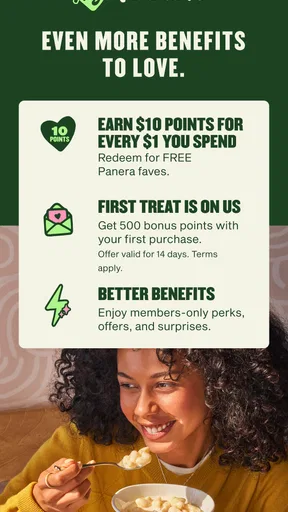
The app’s store summary presents the newer MyPanera experience as a way to access more free Panera favorites. I would treat that as an invitation to explore the membership side of the app, not as a reason to assume every benefit will fit every customer. Rewards are most useful when I understand how they are earned, when they can be used, and whether I am comfortable maintaining the account needed to manage them.
Account decisions before the first order
For a first-time user, the practical question is whether creating an account is worthwhile. I think it is more appealing for repeat visits than for a one-off purchase. An account can make an ongoing restaurant relationship easier to manage, especially when I want the app to remember my activity or make future ordering less repetitive. For an occasional customer, the setup may feel like extra work before receiving any real benefit.
I recommend approaching registration slowly rather than tapping through every screen automatically. Read the labels around sign-in, rewards, communications, and payment before continuing. This is not because I found a specific problem with Panera Bread; it is simply the sensible way to use any app that connects food purchases with personal account information. Trust is stronger when I know which choices are necessary for ordering and which ones are optional conveniences.
Another useful habit is to keep the account details current. Restaurant orders depend on practical information such as contact details and preferred locations, and an outdated account can create more frustration than the app itself. If I stop using the service, I would also review the account and notification settings rather than leaving everything untouched indefinitely.
Location and notification choices deserve attention
Location is one of those permissions that can be convenient but is not automatically essential for every situation. If I am trying to find a nearby Panera or select a location while traveling, location access may save time. If I already know the restaurant I want, manually choosing it can give me more control and avoid granting access that I do not need for that particular task.
Notifications are similarly personal. Order updates can be useful when I am waiting for food, but promotional messages may become distracting if I am not interested in frequent reminders. I prefer to allow notifications when they help with an active order and then revisit the choice later. The important point is that a customer should make this decision deliberately, not treat notifications as an unavoidable part of using a restaurant app.
On Android, I would check the app’s system permission page if I wanted to change access after installation. That gives me a practical control outside the ordering flow. I would also review the app’s current privacy information in the relevant store or account settings before entering personal details, because data practices and permission descriptions can change as an app is updated.
Payment and order review are the sensitive moments
The most data-sensitive point is usually the checkout stage. A restaurant order may involve payment information, contact details, a selected location, and timing information. I slow down here and verify the restaurant, order type, items, modifications, and final amount before confirming. A quick review is especially valuable when I have built an order while distracted or when I am ordering for someone else.
I also avoid saving payment information simply because the app offers the option. Saving it may make future purchases quicker, but entering payment details each time can be preferable for people who use the app rarely or share a device. The better choice depends on my habits and my comfort with keeping financial information connected to the account.
One practical limitation is that a dedicated restaurant app cannot remove the need to check real-world details. Store hours, item availability, pickup timing, and order accuracy still matter. I would not assume that a confirmed screen means I can skip checking the selected location or the contents of the bag when I arrive. The app can reduce ordering friction; it cannot replace ordinary attention at pickup.
A realistic everyday use case
Imagine I am leaving work with only a short break before an appointment. I open Panera Bread, choose the location that is actually on my route, and build the order before leaving. I review the pickup choice and the items carefully, then keep notifications limited to what helps me follow the order. When I arrive, I can focus on collecting the food instead of standing in line to decide what to buy.
That scenario shows where the app earns its place. The benefit is not merely that a menu appears on my phone. It is the ability to separate decision-making from the moment when I am hungry, rushed, or surrounded by a queue. I can also use the same workflow for a family order, but I would be more careful with customizations and names so that the final handoff is easy to verify.
For a casual visitor who is already inside the restaurant, the advantage is smaller. Ordering directly at the counter may be faster than downloading the app, creating an account, and entering information for one meal. In that situation, the app adds a layer rather than removing one.
Where MyPanera fits into the experience
The MyPanera element is likely to be most useful when I visit often enough to remember that I have benefits or rewards to check. I would make a habit of looking at the account area before ordering rather than assuming an available offer will apply automatically. That small step can prevent disappointment at checkout and helps me understand whether I am receiving a meaningful benefit from continued use.
I would also separate rewards from privacy decisions. A free food benefit can be attractive, but it should not pressure me into enabling every communication channel or sharing more information than I consider necessary. I can decide that the convenience is worthwhile, or I can choose to order less frequently without treating the rewards system as a requirement.
A less obvious trade-off is attention. Reward systems encourage me to open an app more often, which can be helpful when I genuinely use the restaurant and unhelpful when it turns occasional meals into repeated promotional prompts. I think the best approach is to use MyPanera as a practical ordering and account tool, then adjust notifications when they stop being useful.
How it compares with ordering without the app
Compared with ordering at the counter, Panera Bread gives me more time to make decisions away from a busy queue. That can be valuable for complicated orders or for anyone who prefers to read carefully before confirming. The counter still wins for immediate human assistance, last-minute questions, or a customer who does not want another account.
Compared with a general delivery marketplace, the dedicated app keeps the experience centered on Panera rather than mixing the restaurant with competing menus. That can make the path less cluttered when I already know what I want. A marketplace may be the better choice when I am comparing restaurants, looking for broader delivery coverage, or trying to manage several orders from different businesses in one place.
Compared with a mobile browser, the app may feel more natural for repeat use because it is already installed and ready to open. The browser can be preferable for a one-time order, for people who want fewer installed apps, or for anyone who would rather keep restaurant activity separate from a dedicated account on the phone. I would choose based on frequency, not on the assumption that an app is automatically more private or more convenient.
Small habits that make the app easier to trust
- Choose location manually when you already know the restaurant. This keeps the ordering decision clear and avoids treating location access as necessary for every visit.
- Review the full order before confirming. Check the selected store, pickup or delivery choice, customizations, and payment details while there is still time to correct them.
- Use notifications purposefully. Keep order-related alerts if they help, but reconsider promotional notifications when they become noise.
- Check MyPanera before checkout. Look at available benefits and the conditions attached to them instead of assuming a reward will apply without review.
- Revisit account settings occasionally. Remove outdated contact information and reconsider saved payment or communication choices if your usage changes.
These habits do not make the app risk-free, and they are not a substitute for reading the current privacy information. They do give me a clearer sense of control. The strongest experience comes when I treat the app as a tool I configure, rather than as a package of settings I must accept without looking.
Who should use it, and who should skip it
I would recommend Panera Bread to regular Panera customers, people who like planning pickup in advance, and users who want their restaurant activity organized in one dedicated place. It is also a good fit for anyone who finds counter ordering stressful or who needs extra time to review a meal before paying.
I would be more cautious about recommending it to someone who visits only once, dislikes restaurant accounts, or wants a single app for comparing many food providers. The app may also be a poor fit for customers who prefer speaking with staff about substitutions or dietary questions before ordering. In those cases, direct contact with the restaurant can be more reassuring than a digital workflow.
People who are especially careful with permissions should not feel obliged to enable location, notifications, or saved payment options simply to explore the service. I would start with the minimum choices needed for the task, then add convenience features only when I understand why I want them.
My cautious verdict
After using Panera Bread as both an ordering tool and an account-based restaurant experience, I see a useful app with a clear audience rather than a must-have for everyone. Its strengths are practical: it can make planned Panera visits less rushed, put the menu and account in one place, and give frequent customers a reason to manage their MyPanera activity digitally.
Its limitations are just as practical. The setup may be excessive for a single meal, rewards can require attention to conditions, and convenience features such as location, notifications, and saved payment should be chosen rather than accepted automatically. The app also cannot guarantee that every real-world part of a restaurant visit will be smooth.
My final recommendation is to install it if Panera is already part of your regular eating routine and you value advance planning. Start with restrained permissions, review the account choices, and treat checkout as a moment for careful verification. If you rarely visit Panera or prefer a broader food marketplace, ordering another way may suit you better. For the right customer, though, this free app turns repeat visits into a more manageable process without requiring me to surrender control of every setting along the way.
Privacy and Permissions
See what permissions an app requests and how it handles your data.
- Identity
- find accounts on the device, add or remove accounts
- Contacts
- find accounts on the device
- Location
- approximate location (network-based), precise location (GPS and network-based)
- Phone
- read phone status and identity
- Photos/Media/Files
- read the contents of your USB storage
- Storage
- read the contents of your USB storage
- Camera
- take pictures and videos
- Microphone
- record audio
- Wi-Fi connection information
- view Wi-Fi connections
- Device ID & call information
- read phone status and identity
- Other
- view network connections, create accounts and set passwords, control flashlight, full network access, run at startup, reorder running apps, use accounts on the device, control vibration, prevent device from sleeping, read Google service configuration
Verdict
Strengths of Panera Bread
- Easy ordering for pickup, delivery, or in-café dining
- Menu includes soups, salads, sandwiches, bakery items, and beverages
- Rewards program can provide discounts and personalized offers
- Nutrition and allergen details are available for many menu items
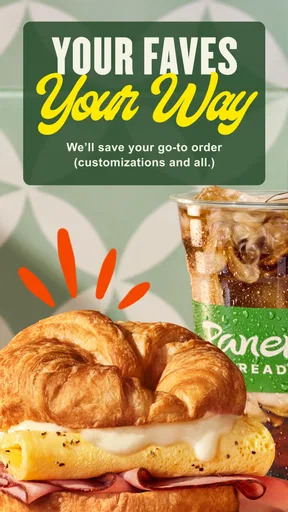
- Saved favorites make repeat orders faster
Limitations of Panera Bread
- Prices may feel high compared with other fast-casual restaurants
- Delivery fees and service charges can increase the final cost
- Menu availability and customization options vary by location
- Rewards offers may have expiration dates or purchase restrictions
- Busy locations may experience delays during peak meal times
Similar Picks in This Category
View All
Rappi: Food Delivery, Grocery
Rappi, Inc - Delivery3.5

McDonald’s: Cupons e Delivery
Arcos Dorados4.3

Swiggy: Food Instamart Dineout
Swiggy4.7

Blinkit: Groceries & more
Blinkit4.8

foodpanda: food & groceries
Foodpanda GmbH a subsidiary of Delivery Hero SE4.0

Zomato: Food Delivery & Dining
Zomato4.7
Frequently Asked Questions
What is the Panera Bread app used for?
The Panera Bread app is designed to make ordering from Panera more convenient. After signing in, you can browse the menu, customize eligible items, place pickup or delivery orders, save favorite meals, and review previous purchases. It also provides access to MyPanera rewards, allowing members to check available benefits and apply eligible offers during checkout.
Can I order Panera Bread for pickup or delivery through the app?
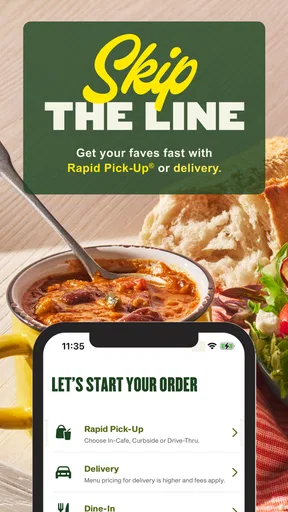
Yes, the app generally supports both restaurant pickup and delivery, although available options depend on your location, store hours, menu availability, and local delivery coverage. Pickup may include options such as rapid pickup or curbside service at participating cafés. Before paying, carefully confirm the selected location, estimated preparation time, delivery address, fees, and any order minimums.
Does the Panera Bread app include MyPanera rewards and promotions?
MyPanera members can typically use the app to view their rewards, track membership benefits, and receive personalized offers or promotional discounts. Rewards and coupons may have expiration dates, purchase requirements, or location restrictions, so read the terms before ordering. Some promotions cannot be combined, and an offer may need to be selected before checkout to apply correctly.
Can I customize food and drinks in the Panera Bread app?
Many menu items can be customized in the app, including ingredient removals, additions, substitutions, and certain drink preferences. The available choices vary by product and restaurant, and some changes may increase the price. Customers with allergies or dietary restrictions should review ingredient information carefully and contact the café directly when they need detailed clarification about preparation or possible cross-contact.
Is the Panera Bread app free to download, and is it safe to use?
The Panera Bread app is generally free to download, although normal mobile data charges may apply. It uses account and payment information to process orders, so download it only from the official Google Play Store or Apple App Store. Use a strong password, keep the app updated, and review your order details and saved payment methods before confirming each purchase.
